
← Back to Hardware Reviews
Rack Server vs Mini PC: Which is Right for Your Home Lab? (2026)
The definitive guide to choosing between enterprise rack servers and efficient mini PCs. Power consumption, noise levels, expandability, and real-world recommendations.
Published Jan 19, 2026Updated Feb 10, 2026
dell-poweredgeoptiplexpower-consumptionrack-server
Rack Server vs Mini PC: Which is Right for Your Home Lab? (2026)
The great homelab hardware debate: Should you invest in enterprise rack servers or embrace the mini PC revolution? Here's how to make the right choice for your setup.
The Homelab Hardware Dilemma

Every homelab enthusiast eventually faces this question: Do I build around powerful enterprise rack servers, or go with efficient, compact mini PCs?
This isn't just a technical decision—it's a lifestyle choice. Your answer affects your power bill, your family's comfort, your available space, and ultimately, what you can achieve with your homelab.
The self-hosted community is deeply divided on this topic. As one Reddit user recently asked: "Am I crazy for wanting to ditch my rack and go back to tiny office PCs?" The 133+ comments that followed revealed there's no universal answer—but there is a right answer for YOUR situation.
Quick Decision Matrix

| Factor | Rack Server | Mini PC | Winner For Home |
|---|---|---|---|
| Idle Power | 80-200W | 6-25W | 🏆 Mini PC |
| Noise Level | 40-70 dB | 0-25 dB | 🏆 Mini PC |
| Initial Cost | $200-800 (used) | $150-400 | Tie |
| RAM Capacity | 128GB-1TB+ | 32-96GB | 🏆 Rack Server |
| Storage Expansion | 8-24 drive bays | 1-2 drives | 🏆 Rack Server |
| CPU Cores | 16-64+ cores | 4-16 cores | 🏆 Rack Server |
| ECC Memory | Standard | Rare | 🏆 Rack Server |
| Redundant PSU | Available | Never | 🏆 Rack Server |
| Living Space Friendly | No | Yes | 🏆 Mini PC |
| WAF (Wife Acceptance Factor) | Very Low | High | 🏆 Mini PC |
Understanding the Real Costs

Power Consumption: The Hidden Expense
Power consumption is where the rack vs mini PC debate gets real. Your homelab runs 24/7/365—that's 8,760 hours per year where every watt counts.
Mini PC Power Consumption:
- Intel N100 mini PC: 6-7W idle, 15-20W under load
- Dell OptiPlex Micro: 11-14W idle, 30-50W under load
- Beelink SER7 (Ryzen): 15-45W depending on workload
- HP EliteDesk 800 G9: ~12W idle with 64GB RAM and 10GbE
Rack Server Power Consumption:
- Dell PowerEdge R720/R730: 80-120W idle
- HP ProLiant DL380 Gen9: 100-150W idle
- Supermicro 2U with Xeon: 70-85W idle (optimized build)
- Typical enterprise 1U: 80-200W idle
Annual Cost Comparison (at $0.15/kWh):
| System | Idle Watts | Annual kWh | Annual Cost |
|---|---|---|---|
| N100 Mini PC | 7W | 61 kWh | $9.15 |
| OptiPlex Micro | 12W | 105 kWh | $15.77 |
| Dell R730 | 100W | 876 kWh | $131.40 |
| Enterprise 1U | 150W | 1,314 kWh | $197.10 |
The difference is staggering. A single rack server costs $120-190 more per year in electricity than a mini PC. Over 5 years, that's $600-950 in savings—enough to buy multiple mini PCs.
The Real Community Experience
From r/homelab:
"I was running a Dell R710 for three years. My power bill dropped by $15/month when I switched to three OptiPlex Micros. Same capabilities, way more flexibility." — Reddit user on r/selfhosted
"Changed my mind: a mini-pc + attached storage is the most adequate home server solution for most people. The era of power-hungry Xeons is over unless you actually need 64 cores." — Top post with 367 comments on r/homelab
Noise Levels: Living With Your Homelab
Rack Server Noise Reality
Enterprise servers were designed for data centers where nobody lives. Their fans prioritize cooling over comfort.
Typical Noise Levels:
| Server Type | Noise Level | Equivalent Sound |
|---|---|---|
| 1U Rack Server | 50-70+ dB | Vacuum cleaner |
| 2U Rack Server | 40-55 dB | Normal conversation |
| Tower Server | 35-45 dB | Library |
| Mini PC | 0-25 dB | Near silent |
Why 1U Servers Are Loud: 1U servers use small, high-RPM fans (8,000-15,000 RPM) to push air through cramped enclosures. Physics wins: smaller fans = higher RPM = more noise.
Quieter Rack Options:
- Dell PowerEdge R550 (2U): ~38-42 dB at idle
- HPE DL380 Gen11 (2U): ~40-45 dB under moderate load
- 4U chassis: Even quieter due to larger fans
The Living Space Problem:
From the community:
"My R720 lived in my garage for two years. When I moved to an apartment, it lasted exactly one week before my wife demanded it go. Now running everything on two Beelinks in the closet—silence is underrated." — r/homelab
"The fans on my PowerEdge spin up like a jet engine taking off whenever I run a VM. My home office became unusable." — r/selfhosted
Mini PC: The Silent Option
Most modern mini PCs with Intel N100/N305 or AMD Ryzen 5000/6000 series are either:
- Passively cooled (completely silent)
- Low-speed fan cooled (barely audible)
The Beelink EQ12 Pro, GMKtec G3, and ASUS PN series are all popular choices that produce less than 25 dB—quieter than a whisper.
The Case for Rack Servers
Despite the power and noise drawbacks, rack servers still have compelling use cases:
1. Massive Storage Requirements
If you're running a serious media server, NAS, or backup solution, rack servers offer unmatched storage density:
- Dell R720xd: 24 x 2.5" bays or 12 x 3.5" bays
- HP DL380: Up to 24 SFF or 12 LFF drive bays
- Supermicro CSE-846: 24 x 3.5" hot-swap bays
Mini PCs typically support 1-2 internal drives maximum. You can add USB or Thunderbolt enclosures, but it's not the same as native RAID controllers with enterprise features.
2. Memory-Intensive Workloads
Running heavy virtualization with 20+ VMs? Need 256GB+ RAM for development databases? Rack servers dominate:
- Dell R730: Up to 1.5TB RAM (24 DIMM slots)
- HP DL380 Gen10: Up to 3TB RAM
- Mini PCs: Typically max at 64-96GB
3. Enterprise Features That Matter
ECC Memory: Error-correcting code memory prevents bit-flip errors that can corrupt data over time. Essential for:
- ZFS storage pools
- Database servers
- Long-running critical services
Most mini PCs don't support ECC. Most rack servers include it standard.
Redundant Power Supplies: Dual PSUs mean your server keeps running if one fails. For services that can't go down, this matters.
iDRAC/iLO Remote Management: Out-of-band management lets you reboot, access console, and diagnose issues even when the OS crashes—invaluable for headless servers.
4. Dedicated Server Room/Garage
If you have a basement, garage, or dedicated server closet with:
- Proper ventilation
- Distance from living spaces
- Dedicated electrical circuit
Then noise and power become less critical factors, and rack servers make more sense.
The Case for Mini PCs
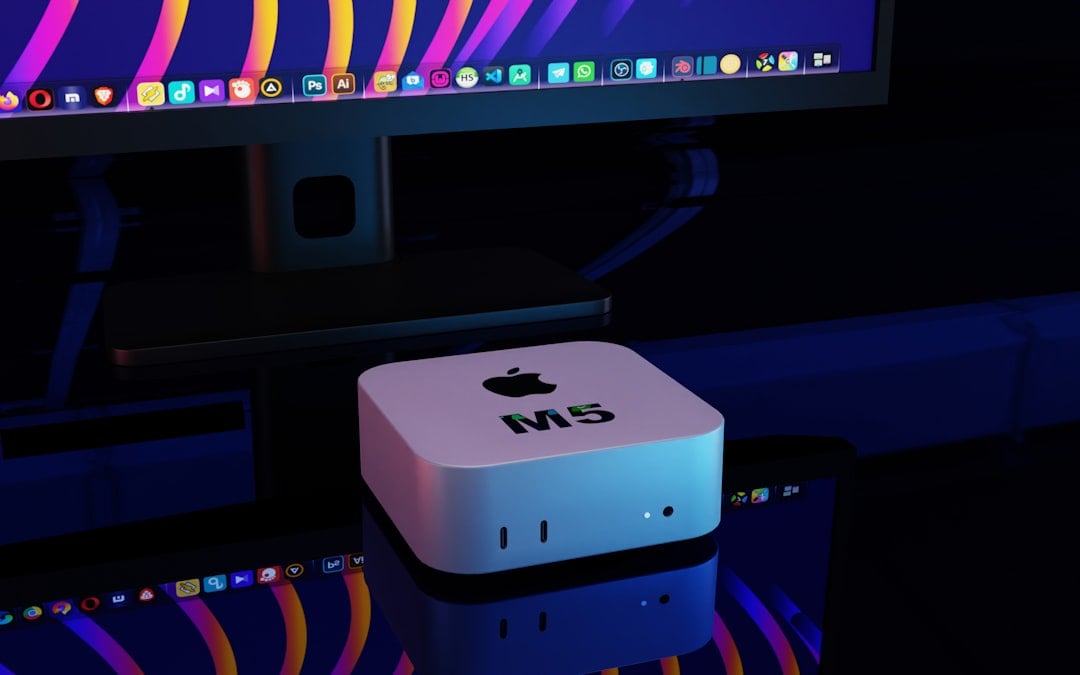
1. The "TinyMiniMicro" Revolution
The community has embraced small form factor PCs, particularly the "TinyMiniMicro" format (1-liter PCs):
Popular Choices:
- Dell OptiPlex Micro (3050, 5060, 7060, 7080)
- HP EliteDesk Mini (800 G3/G4/G5/G6/G9)
- Lenovo ThinkCentre Tiny (M720q, M920q, M70q)
- Intel NUC (now ASUS NUC)
- Beelink (EQ12, SER5, SER7)
- GMKtec (G3, NucBox K4)
These can be found used for $100-300 and new for $200-500, with incredible efficiency.
2. Cluster Architecture
Instead of one powerful server, build a cluster of mini PCs:
3-Node Mini PC Cluster Example:
- 3x Dell OptiPlex 7060 Micro (~$200 each used)
- 3x 32GB RAM upgrades (~$50 each)
- Total: ~$750
Benefits:
- Distributed workloads
- Built-in redundancy (lose one node, cluster survives)
- Individual node failures are cheap to replace
- Total idle power: ~36W (vs 100W+ for single rack server)
From r/homelab (3,826 upvotes):
"Dream Lab on the desk! Three OptiPlex Micros running Proxmox cluster. Silent, low power, and I can grab a replacement off eBay for $150 if one dies. Try doing that with a dead motherboard in an R740."
3. The WAF Factor
"Wife Acceptance Factor" isn't a joke—it's a real consideration for most homelabbers:
"Wife: stop being cheap and buy the big switch. Me: (internal screaming at the noise my R720 makes). She changed her tune after experiencing the fan noise for one evening." — Top r/homelab post (2,158 upvotes)
Mini PCs can live in:
- Living room entertainment centers
- Home office desks
- Closet shelves
- Behind monitors
Rack servers require:
- Dedicated furniture/racks
- Distance from sleeping areas
- Ventilation consideration
- Explanation to visitors
4. Modern Performance Reality
The performance gap has narrowed dramatically:
| CPU | Cores | Passmark | TDP |
|---|---|---|---|
| Intel N100 | 4 | ~5,500 | 6W |
| Intel i5-12500T | 6 | ~18,000 | 35W |
| AMD Ryzen 5600G | 6 | ~19,000 | 65W |
| Xeon E5-2680 v4 | 14 | ~15,000 | 120W |
A modern 35W laptop CPU often outperforms older Xeon chips while using a fraction of the power. Unless you need the specific features of enterprise hardware, mini PCs deliver excellent performance per watt.
Hybrid Approaches
Many experienced homelabbers combine both approaches:
Option 1: Mini PC Compute + External NAS
Setup:
- 2-3 mini PCs for VMs and containers
- Synology/QNAP NAS for storage
- 10GbE network connecting them
Benefits:
- Quiet compute in the office
- NAS can be placed in utility room
- Best of both worlds
Option 2: Mini PC Cluster + Single Storage Server
Setup:
- Proxmox/k3s cluster on mini PCs
- One 4U storage server in garage/basement
- Shared storage via NFS/iSCSI
Benefits:
- Distributed compute stays quiet and efficient
- Dedicated storage server handles large arrays
- Clear separation of concerns
Option 3: Graduated Approach
Start Small:
- Begin with a single mini PC
- Add more as needs grow
- Graduate to rack servers only when genuinely needed
From the community:
"Started with an N100 running Docker. Then added a second for Proxmox. Now have five mini PCs and still no desire for rack servers. My total power draw is less than what a single R730 would use." — r/selfhosted
Decision Framework: Which is Right for YOU?
Choose Mini PC If:
✅ You live in an apartment or house without a dedicated server room
✅ Power costs matter (electricity >$0.10/kWh)
✅ Noise is a concern (server will be near living spaces)
✅ Your workloads fit in 32-64GB RAM
✅ You can use external NAS or cloud storage
✅ You value simplicity and low maintenance
✅ WAF (Wife/Family Acceptance Factor) is important
Choose Rack Server If:
✅ You have a dedicated server room, basement, or garage
✅ Power costs are low or secondary concern
✅ You need 128GB+ RAM
✅ You need 6+ hard drive bays
✅ ECC memory is required (ZFS, databases)
✅ You want enterprise features (iDRAC/iLO, dual PSU)
✅ You enjoy enterprise hardware and learning
The Budget Reality Check
| Scenario | Recommendation |
|---|---|
| First homelab, learning | Mini PC ($150-300) |
| Docker/containers only | Mini PC |
| Light virtualization (3-5 VMs) | Mini PC cluster |
| Heavy virtualization (10+ VMs) | Rack server or cluster |
| Large media library (50TB+) | Rack server or NAS + mini PC |
| Home business/production | Rack server with redundancy |
Real-World Builds from the Community
The Silent Home Office
"My silent homelab: Three repurposed HP EliteDesk 800 G3 Mini units running Proxmox cluster. Total power at idle: 35W. Noise: literally zero (I have a dB meter). Running Plex, Home Assistant, Pi-hole, and 15 other containers." — r/homelab (1,409 upvotes)
The Converted Rack User
"After 4 years with a Dell R720, I sold it and bought four Beelink SER7 units. Lost some expandability, gained my sanity. The constant fan drone was affecting my mental health in ways I didn't realize until it was gone."
The Practical Middle Ground
"OptiPlex 7070 Micro + Synology DS1821+ NAS. The OptiPlex runs all my VMs and containers, the Synology handles 80TB of storage. Both together use less power than my old PowerEdge, and I can actually have them in my home office."
Getting Started: Recommended Setups
Budget Build: $200-400
Mini PC Option:
- Beelink EQ12 Pro (N100) — $180
- 16GB RAM (included)
- 500GB NVMe (included)
- Add: 2TB external USB drive — $70
Total: ~$250 | Idle: ~7W | Noise: <20dB
Mid-Range Build: $400-800
Mini PC Cluster:
- 2x Dell OptiPlex 7060 Micro (used) — $200 each
- 2x 32GB RAM upgrade — $50 each
- 2x 1TB NVMe — $60 each
Total: ~$620 | Idle: ~24W | Noise: <30dB
Power User: $800-1500
Hybrid Setup:
- 3x Beelink SER7 (Ryzen 7) — $350 each
- Synology DS423+ NAS — $500
- 4x 8TB drives — $600
Total: ~$2,150 | Idle: ~60W | Expandable storage
Conclusion: The Right Choice is Personal
The rack vs mini PC debate doesn't have a universal winner—it has a personal winner based on your circumstances.
Choose mini PCs if you want efficiency, silence, and flexibility. Modern mini PCs handle 90% of homelab workloads at a fraction of the power and noise cost.
Choose rack servers if you genuinely need enterprise features, massive storage, or huge memory capacity—and have the space and tolerance for their requirements.
Most importantly: Start small. A $200 mini PC teaches you everything about Docker, VMs, networking, and self-hosting. You can always scale up later—but you might find you never need to.
The homelab community has spoken: The future is efficient. Whether that's a single N100 mini PC or a cluster of OptiPlex Micros, low-power computing is winning hearts and saving power bills one watt at a time.
Additional Resources
- r/homelab — The largest homelab community
- r/selfhosted — Self-hosting discussions and recommendations
- ServeTheHome — TinyMiniMicro project and hardware reviews
- Project TinyMiniMicro — Comprehensive mini PC guides
- STH Forums — Deep hardware discussions
Last updated: January 2026
You may also like

Hardware
Best Used Mini PCs for Home Servers in 2026 (Under $400)
A practical 2026 buyer guide to used enterprise mini PCs for home servers, with power, upgrade path, and budget-tier recommendations.
elitedesklow-poweroptiplex

Hardware
Old Laptop as Home Server: Complete 2026 Setup Guide
Turn your retired laptop into a capable home server for $0-210. Covers Ubuntu Server setup, lid-close fix, Docker services, ZFS storage, and why a laptop's built-in battery beats buying a UPS.
low-powerubuntu
Hardware
Best Home Server for Beginners 2026: Complete Starter Guide
New to home servers? Start here. Compare hardware options, discover 8 popular use cases, and learn how to run 10 self-hosted services on an Intel N100 mini PC for just $10/year in electricity.
beginnersgetting-startedlow-power
Related Tools
Ready to build your server?
Check out our build guides for step-by-step instructions.
View Build Guides