
← Back to Hardware Reviews
Raspberry Pi 5 vs Intel N100: Low-Power Home Server (2025)
Raspberry Pi 5 or Intel N100 for a low-power home server? Compare power, expansion, media transcoding, and compatibility to choose the right platform.
Published Dec 22, 2025Updated Jan 1, 2026
low-power
Raspberry Pi 5 vs Intel N100: Low-Power Home Server (2025)
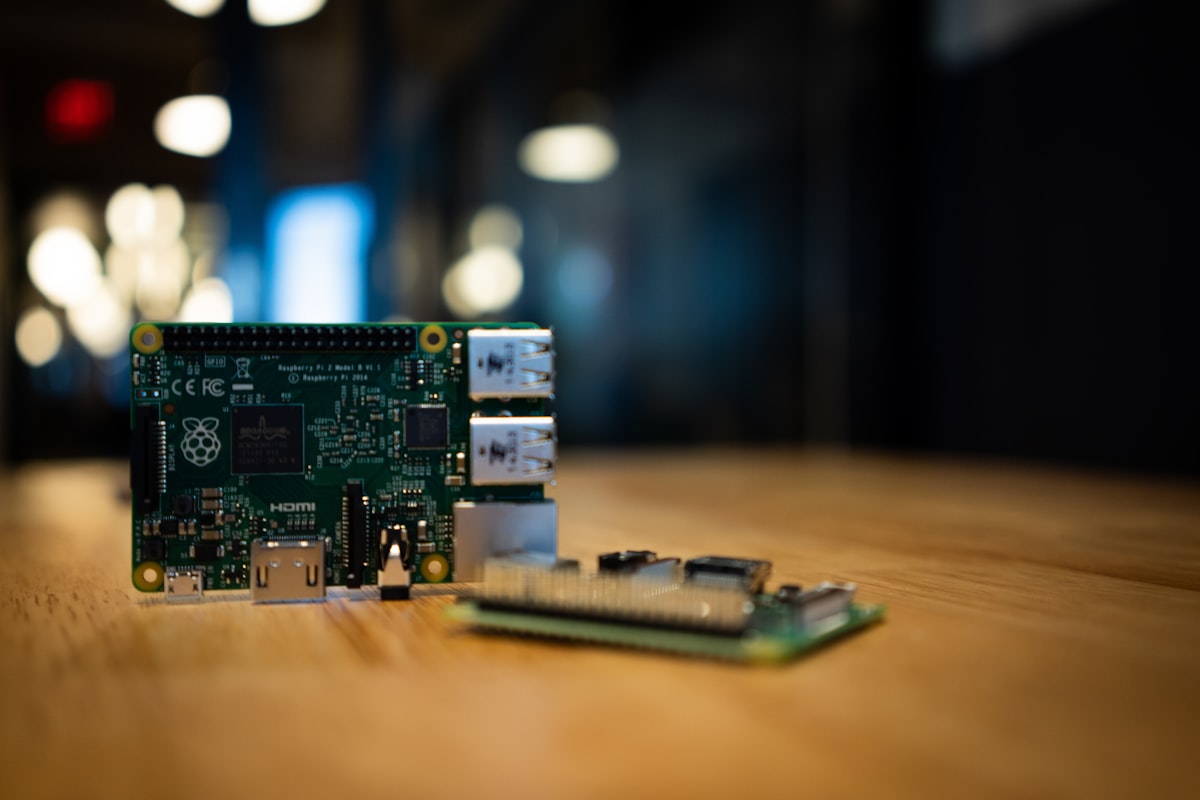
If you are searching for “raspberry pi 5 vs intel n100,” you are likely deciding between a tiny ARM board and a full x86 mini PC. This guide is beginner-friendly and decision-focused. It highlights real-world tradeoffs so you can choose with confidence.
TL;DR (Quick Answer)

- Choose Intel N100 if you want plug-and-play compatibility, easy media transcoding, and more headroom for future services.
- Choose Raspberry Pi 5 if you want ultra-low power, a compact board, and you enjoy ARM tinkering with lighter workloads.
Raspberry Pi 5 vs Intel N100: Which should you pick? (Featured Snippet)

Raspberry Pi 5 is ideal for light services and ARM enthusiasts who value ultra-low power and compact size. Intel N100 is better for most beginners because it offers stronger compatibility, simpler media transcoding, and easier storage expansion. If you want a low-effort, stable home server, N100 is the safer choice.
At-a-Glance Low-Power Home Server Comparison

| Factor | Raspberry Pi 5 | Intel N100 |
|---|---|---|
| CPU architecture | ARM | x86 |
| Typical workload | Light services | Multi-service, heavier stacks |
| Media transcoding | Possible but needs tuning | Quick Sync, works out of the box |
| Storage expansion | HATs, adapters, USB | NVMe/M.2 common, sometimes SATA |
| Software compatibility | Must verify ARM images | Broad Docker/VM compatibility |
| Upgrade flexibility | Fixed RAM | RAM usually upgradeable |
| Beginner experience | Moderate | Beginner-friendly |
1. What you are really choosing: ARM vs x86
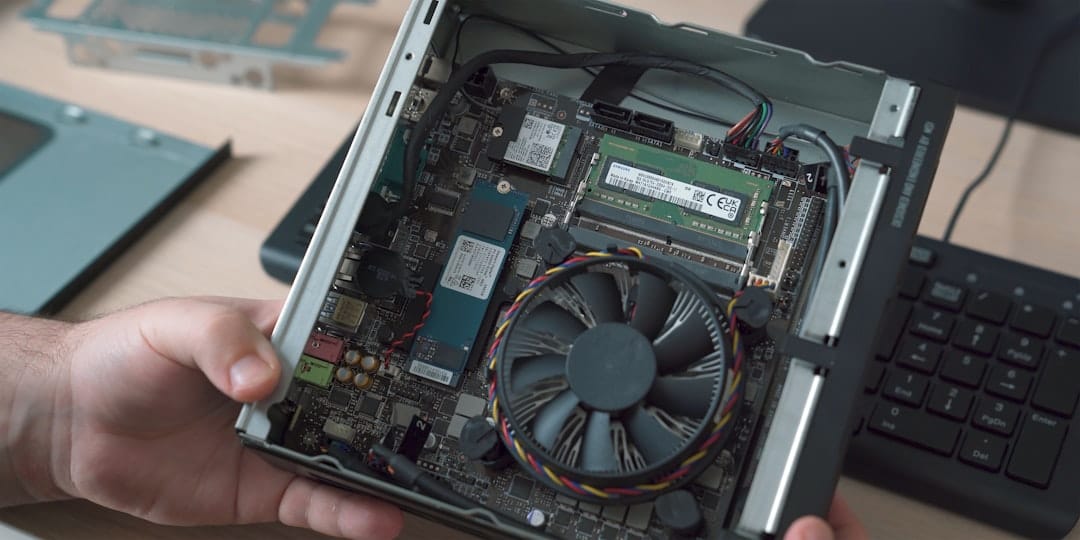
The core decision is not just “board vs mini PC.” It is ARM vs x86. That choice affects software compatibility, long-term flexibility, and how often you will need to troubleshoot.
- x86 (Intel N100) is the default target for most Linux tools, Docker images, and virtualization stacks. It is the “it just works” path.
- ARM (Raspberry Pi 5) is efficient and compact, but you must verify ARM builds for containers and sometimes deal with driver quirks or missing features.
For beginners, time and stability matter more than theoretical efficiency. That is why x86 tends to win for first-time servers.
2. Performance and real-world workload fit
Raw benchmarks are less useful than “Will this run the services I actually need?” Here is how the two platforms behave in common home server tasks.
Typical workloads
- File sharing (SMB/NFS): Both are fine for a single user or small household.
- Docker containers (multiple services): N100 stays smoother as you add more services.
- Database-backed apps (Nextcloud, Immich): N100 handles heavier concurrent operations better.
- Automation or home control (Home Assistant + add-ons): Both can work, but N100 leaves more headroom for add-ons.
Example stacks
Raspberry Pi 5-friendly stack
- Pi-hole / AdGuard Home
- Caddy or Nginx reverse proxy
- Light file share or sync
- Uptime monitor and logs
Intel N100-friendly stack
- Plex or Jellyfin with hardware transcoding
- Nextcloud or Immich
- Home Assistant with add-ons
- Multiple Docker services and a small database
In short: Pi 5 is excellent for light services. N100 is better once your stack grows.
3. Media transcoding: N100’s biggest advantage
If you plan to run Plex or Jellyfin, the Intel N100 has a decisive advantage: Intel Quick Sync. It is widely supported, simple to enable, and delivers reliable transcoding performance.
Raspberry Pi 5 can play and decode video. Hardware transcoding for media servers often requires extra configuration, and results are not as consistent as Intel’s hardware acceleration. If media server is a priority, N100 is the clear choice.
4. Power draw and operating cost (don’t over-optimize)
Power efficiency is the reason most people consider Raspberry Pi in the first place. In practice, your total system power depends on drives, USB devices, and networking gear, not just the CPU.
If you want a realistic estimate of your running cost, use the site’s power calculator:
👉 /tools/power-calculator
Quick formula
If you want to estimate by hand:
Annual cost ≈ Power (W) × 24 × 365 ÷ 1000 × Electricity rate
A few watts of difference typically translates to a small yearly cost gap. It is rarely the deciding factor compared to compatibility and expandability.
5. Storage and expandability (where beginners regret choices)
This is where most new builders misjudge. You might start small, but home servers tend to grow.
Raspberry Pi 5 limits
- NVMe requires a HAT or adapter
- RAM is fixed
- Expansion often relies on USB storage or external enclosures
Intel N100 strengths
- NVMe/M.2 is common
- Many models include a 2.5" SATA bay
- RAM is upgradeable
- Easier to add or replace storage later
If you think you might add more storage or run heavier services in the future, N100 saves you a rebuild later.
6. Software ecosystem and maintenance
| Area | Raspberry Pi 5 (ARM) | Intel N100 (x86) |
|---|---|---|
| Docker images | Must verify ARM builds | Almost always available |
| Virtualization | Limited options | Proxmox / full VM support |
| Driver support | Varies by distro | Mature, consistent |
| Media hardware accel | More setup | Usually plug-and-play |
For a new user, fewer compatibility surprises means a lower long-term maintenance burden.
7. Setup experience (what it feels like in practice)
Raspberry Pi 5 setup
- Choose Pi 5 model (4GB or 8GB)
- Install OS on microSD or NVMe (with adapter)
- Configure cooling and power
- Install services one at a time
Intel N100 setup
- Buy a mini PC (often pre-configured)
- Install Ubuntu Server or Proxmox
- Create containers or VMs
- Expand services without worrying about ARM compatibility
N100 typically has fewer surprises, especially when you start adding containers.
8. Cost: total cost matters more than board price
A Raspberry Pi 5 board alone looks cheap, but the full build cost adds up:
- Board + power + case
- Cooling
- Storage and adapters
A typical Intel N100 mini PC often arrives fully assembled. That means less shopping and fewer compatibility checks. If you value time and simplicity, that matters.
9. Decision matrix (subjective, but useful)
| Factor | Raspberry Pi 5 | Intel N100 |
|---|---|---|
| Compatibility | ★★☆☆☆ | ★★★★★ |
| Power efficiency | ★★★★★ | ★★★☆☆ |
| Expandability | ★★☆☆☆ | ★★★★★ |
| Media server | ★★☆☆☆ | ★★★★★ |
| Beginner ease | ★★☆☆☆ | ★★★★★ |
| Long-term flexibility | ★★☆☆☆ | ★★★★★ |
10. Which one should you buy? (Use-case based)
Choose Raspberry Pi 5 if you:
- Want the lowest possible power draw
- Are happy with light, stable services
- Enjoy ARM tinkering and learning
- Do not need heavy media transcoding
Choose Intel N100 if you:
- Want a stable, beginner-friendly server
- Plan to run Plex/Jellyfin or multiple containers
- May add storage later
- Want to explore virtualization
11. Common beginner pitfalls (avoid these)
- Undersized power supply (Pi 5): unstable power causes random crashes.
- Relying on microSD for heavy workloads: prefer SSD or NVMe for durability.
- ARM Docker image mismatch: verify ARM builds before planning services.
- No cooling plan: sustained workloads will throttle without proper cooling.
- Assuming storage expansion is easy: Pi 5 can expand, but requires adapters.
12. Community notes and real-world discussions
These community threads show common pain points and buying considerations:
- Mini PC vs desktop power efficiency debate (r/homelab): https://reddit.com/r/homelab/comments/1p8892h/wondering_which_is_better_das_mini_pc_or_just_a/
- First-time home server checklist (r/HomeServer): https://reddit.com/r/HomeServer/comments/1p7txyb/setting_up_my_first_server/
- Power-saving features missing on some boards (r/HomeServer): https://reddit.com/r/HomeServer/comments/1p82vrk/cwat10g8p_mobo_no_aspm_cstate_support/
- Mini PC NAS buying discussion (r/HomeServer): https://reddit.com/r/HomeServer/comments/1p7205c/i_want_to_buy_minisforum_5bay_nas_and_setup/
13. FAQ
Q1: Can Raspberry Pi 5 run Plex or Jellyfin? Yes, but hardware transcoding and compatibility require more tuning. It is not as easy as Intel Quick Sync.
Q2: Is Intel N100 too much for light services? No. It is still efficient at idle and gives you more headroom for future services.
Q3: Is ARM the future for home servers? ARM is improving, but x86 remains more compatible today. For beginners, that compatibility matters.
Q4: Which one is better for virtualization? Intel N100. The x86 ecosystem supports Proxmox and many VM images with minimal friction.
Q5: If power is my top priority, should I always choose Pi 5? Not necessarily. Storage devices and peripherals can erase much of the difference. Use the power calculator to estimate your real cost.
Final recommendation
For most new home server builders, Intel N100 is the safer and more flexible choice. It makes software compatibility and media workloads easier, and it scales better as your needs grow.
Raspberry Pi 5 is still a great platform if you value ultra-low power and enjoy ARM tinkering. But if your goal is a reliable, low-effort server that grows with you, N100 wins the decision.
You may also like

Hardware
Old Laptop as Home Server: Complete 2026 Setup Guide
Turn your retired laptop into a capable home server for $0-210. Covers Ubuntu Server setup, lid-close fix, Docker services, ZFS storage, and why a laptop's built-in battery beats buying a UPS.
low-powerubuntu
Hardware
Best Home Server for Beginners 2026: Complete Starter Guide
New to home servers? Start here. Compare hardware options, discover 8 popular use cases, and learn how to run 10 self-hosted services on an Intel N100 mini PC for just $10/year in electricity.
beginnersgetting-startedlow-power

Hardware
Mac Mini M1/M2 Home Server: 4W Idle Power Guide (2026)
Transform your M1/M2 Mac Mini into an ultra-efficient home server. Complete guide covering power consumption, macOS vs Asahi Linux, Docker setup, and N100 comparison.
apple-siliconasahi-linuxlow-power
Related Tools
Ready to build your server?
Check out our build guides for step-by-step instructions.
View Build Guides