
← Back to Use Cases
What Can a Home Server Do? 15 Practical Uses in 2026
From replacing Netflix to running local AI, a home server running on 8W can do far more than you'd expect. Here are 15 real uses with app recommendations — and the cost breakdown that makes it worth it.
Published Mar 14, 2026Updated Mar 14, 2026
beginnershome-assistantimmichn100nextcloudpiholeself-hosted
What Can a Home Server Do? 15 Practical Uses in 2026
You're paying $30–$100/month for cloud services that store your data, stream your media, and automate your home. A low power home server running on an Intel N100 mini PC (6–12W idle, ~$3/year in electricity) can replace most of them. Here are 15 things a home server can do — with real app recommendations for each.
The Case for a Home Server in 2026
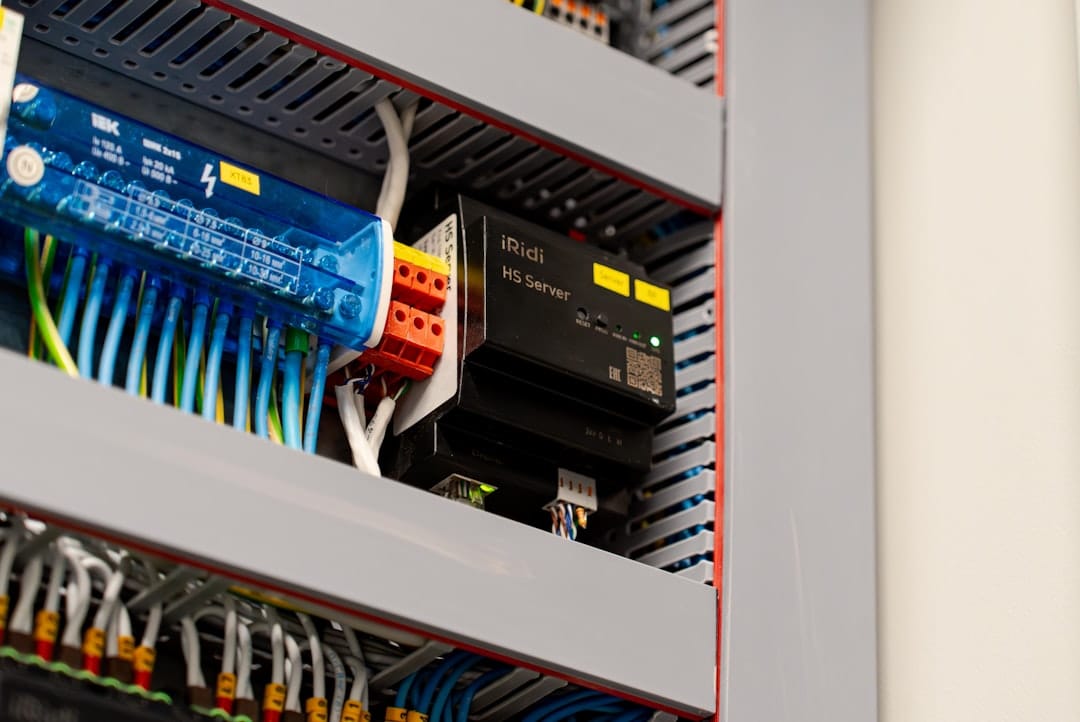
Cloud subscriptions add up fast: Google One ($36/yr), iCloud ($36/yr), Netflix ($192/yr), Plex Pass ($120 lifetime or $40/yr), Backblaze ($99/yr), Dropbox ($120/yr). That's $500+ per year before you've even counted the smart home subscriptions.
A home server built around an Intel N100 mini PC costs $150–250 upfront and roughly $25–35/year in electricity running 24/7. Most users break even within 12–18 months. After that, it's pure savings.
But cost is only part of the story. A home server also means your data stays on your hardware, under your control, in your home.
1. Media Server — Replace Netflix with Your Own Library
Best app: Jellyfin (free) | Alternative: Plex
A self-hosted media server lets you stream your own movies, TV shows, and home videos to any device — phone, tablet, TV, or browser. Jellyfin is completely free and open-source, with native apps for Android, iOS, Apple TV, Roku, and Fire TV.
Hardware needs: Intel N100 handles 3–4 simultaneous 1080p streams via hardware transcoding. For 4K HDR, enable Intel Quick Sync for near-zero CPU overhead.
What you replace: Netflix ($16/mo), Disney+ ($14/mo), or any paid streaming service for content you already own.
→ See our full Jellyfin vs Plex vs Emby comparison for a detailed breakdown.
2. Photo Backup — Replace Google Photos or iCloud

Best app: Immich (free, open-source)
Immich is the closest self-hosted alternative to Google Photos. It provides automatic mobile backup, facial recognition, album sharing, and a slick timeline view. The mobile app (iOS and Android) backs up photos silently in the background.
What you replace: Google One ($36/yr for 100GB) or iCloud ($36/yr for 200GB). With a home server, your storage limit is whatever drives you install.
Privacy win: Your family photos never leave your home network.
→ Read our Immich setup guide for step-by-step instructions.
3. Smart Home Hub — Replace Cloud-Dependent Automations
Best app: Home Assistant (free, open-source)
Home Assistant is the most powerful open-source smart home platform available. It integrates with 3,000+ devices and services — Zigbee, Z-Wave, MQTT, Google Home, Amazon Echo, Apple HomeKit, and virtually every smart home protocol.
Running it locally means your automations work even when your internet is down — something cloud-dependent systems can't offer. Lights, thermostats, door sensors, and cameras all respond in milliseconds instead of routing through a cloud server in another country.
Hardware needs: Home Assistant runs well on 2GB RAM. An Intel N100 can run HA plus a dozen other services simultaneously.
→ See our Home Assistant hardware guide for the best hardware options in 2026.
4. Network-Wide Ad Blocking — Replace Your Device-by-Device Solutions
Best apps: Pi-hole or AdGuard Home (both free)
Configure your router to point DNS queries at your home server, and Pi-hole or AdGuard Home blocks ads for every device on your network — phones, tablets, smart TVs, and game consoles — without installing anything on each device.
The result: faster web browsing (no ad server requests), less bandwidth consumption, and a cleaner experience across every device in your home.
Resource usage: Pi-hole uses under 100MB RAM. It can share a server with dozens of other services with no performance impact.
→ Compare AdGuard Home vs Pi-hole to choose the right one for your setup.
5. File Storage & Sync — Replace Dropbox or Google Drive
Best app: Nextcloud (free, open-source)
Nextcloud gives you file sync and sharing across all your devices — essentially a self-hosted Dropbox with a web interface, mobile apps, and desktop sync clients. It also includes a calendar, contacts, note-taking, document editing (via OnlyOffice or Collabora), and video calling.
Your files are encrypted, private, and accessible from anywhere. Share folders with family members or colleagues with fine-grained permission controls.
What you replace: Dropbox ($120/yr), Google One ($36–120/yr), or Microsoft 365 OneDrive ($70/yr).
→ Follow our Nextcloud Docker Compose setup guide to get started in under an hour.
6. Password Manager — Replace LastPass or 1Password
Best app: Vaultwarden (free, open-source)
Vaultwarden is a lightweight, self-hosted implementation of the Bitwarden server protocol. It's compatible with all official Bitwarden apps (iOS, Android, browser extensions, desktop). Your passwords are stored on your own server, encrypted at rest.
Why self-host: After LastPass's 2022 breach exposed encrypted vaults, many users moved to self-hosting. Vaultwarden uses only 20–30MB RAM and works flawlessly on low-power hardware.
What you replace: 1Password ($36/yr), LastPass ($36/yr), Dashlane ($60/yr), or Bitwarden ($10/yr).
7. Local AI Assistant — Run LLMs Without a Cloud Subscription
Best app: Ollama + Open WebUI (both free)
With Ollama, you can run open-source AI models like Llama 3, Mistral, Qwen, and DeepSeek locally on your home server. Open WebUI provides a ChatGPT-like interface. Your conversations never leave your home network.
Hardware reality check: An Intel N100 can run 7B parameter models at 5–10 tokens/second using CPU-only inference — slower than cloud AI but functional. For real-time performance with larger models (13B+), you need a GPU or Apple Silicon.
What you replace: ChatGPT Plus ($240/yr), Claude Pro ($240/yr), or Copilot ($120/yr) — especially for private or business use cases where you don't want data leaving your network.
→ See our self-hosted AI guide with Ollama and Open WebUI.
8. Document Management — Replace Paperwork and Scanners
Best app: Paperless-ngx (free, open-source)
Paperless-ngx automatically organizes, tags, and makes searchable every PDF, receipt, invoice, and document you scan or receive by email. OCR runs automatically, making every document full-text searchable.
Practical use: Scan paper documents with your phone (using the Paperless mobile app or any scanner app), and Paperless-ngx automatically categorizes them under "Medical," "Taxes," "Insurance," etc. Find any document instantly by searching for text within it.
What you replace: Scan + store workflows, Google Drive folders, paid document management services.
9. Music Streaming — Your Library, Everywhere
Best apps: Navidrome (free) or Jellyfin (free)
If you have a music library (MP3s, FLACs, or ripped CDs), Navidrome turns it into a streaming service accessible from any device. It uses only 130MB RAM, supports the Subsonic API (compatible with dozens of apps), and handles multi-user libraries beautifully.
Use Symfonium on Android or Substreamer on iOS for an experience that rivals Spotify.
What you replace: Spotify ($132/yr), Apple Music ($120/yr), or Tidal ($180/yr) — for the music you already own.
→ Compare Navidrome vs Jellyfin vs Plexamp in detail.
10. Security Cameras — Local NVR Without Cloud Subscriptions
Best app: Frigate (free, open-source)
Frigate is an NVR (Network Video Recorder) that runs object detection locally. Connect IP cameras (Reolink, Amcrest, Hikvision) and Frigate detects people, cars, and animals — sending notifications via Home Assistant or directly to your phone.
All footage is stored locally. No subscription fee. No video being uploaded to someone else's cloud.
Hardware needs: Frigate's object detection benefits from a Coral TPU accelerator (~$60). Without it, detection works on CPU but at higher power usage.
What you replace: Ring Protect ($40–100/yr), Arlo ($100–130/yr), Google Nest Cam subscriptions.
→ See our Frigate NVR setup guide.
11. Game Server — Host Minecraft and More for Free
Best use: Minecraft Java Edition, Valheim, Factorio, Project Zomboid
A low power home server makes an excellent game server for small groups. An Intel N100 runs a Minecraft Java server for 5–10 players at 6–10W idle — far less power than a gaming PC.
Setup: Docker makes it simple. itzg/minecraft-server on Docker Hub provides a maintained, configurable server image that starts in under a minute.
What you replace: Minecraft Realms ($8/mo), rented game server hosting ($5–15/mo for a VPS).
→ Follow our Intel N100 Minecraft server guide.
12. Secure Remote Access — VPN for Your Whole Network
Best apps: Tailscale (free tier) or Wireguard (free)
Tailscale creates a private network between all your devices — phone, laptop, home server — with zero-config setup. Access your home server's services (Jellyfin, Nextcloud, Home Assistant) from anywhere in the world as if you were on your home network.
Security advantage: No ports need to be open on your router. Tailscale uses NAT traversal to create encrypted tunnels without exposing services to the public internet.
What you replace: Commercial VPN services ($50–100/yr), remote desktop subscriptions.
→ Compare Tailscale vs Cloudflare Tunnel for secure remote access options.
13. Home Lab & Development Server
Use cases: Docker development, CI/CD testing, staging environments, learning Linux
A home server is invaluable for developers. Run Gitea for a self-hosted Git server, Drone CI or Woodpecker for CI/CD, and staging environments for your projects — all locally, free, and fast.
Learning value: Managing a home server teaches Linux, Docker, networking, and system administration skills that translate directly to professional DevOps and SRE roles.
14. Automated Backup Destination
Best apps: Rsync, Borgmatic, Rclone (all free)
Your home server can be the local destination in a 3-2-1 backup strategy: 3 copies of data, on 2 different media, with 1 copy offsite. Back up your laptop and other devices to the home server automatically over your local network, then use Rclone to replicate to a cloud storage provider (Backblaze B2 at $6/TB/month).
What you replace: Backblaze Personal Backup ($99/yr), Time Capsule subscriptions, or expensive NAS backup solutions.
15. Home Server Dashboard — See Everything at a Glance
Best apps: Homepage or Homarr (both free)
A dashboard brings all your self-hosted services together in one place — Jellyfin, Nextcloud, Home Assistant, Pi-hole — with status indicators, quick links, and system stats. Access everything from a single bookmark.
Homepage auto-discovers Docker containers, shows their status, and integrates with services via API widgets for real-time stats like download speeds, library counts, and energy usage.
→ See our best home server dashboards comparison to find the right one for your setup.
What Hardware Do You Need?
Almost all of the services above run simultaneously on a modest low power home server:
| Use Case Mix | Recommended Hardware | Estimated Idle Power |
|---|---|---|
| 1–5 services (starter) | Intel N100 mini PC (8GB RAM) | 6–10W |
| 6–10 services | Intel N100/N305 (16GB RAM) | 8–15W |
| 10+ services + AI | Intel N305 or used mini PC (32GB RAM) | 12–20W |
| NAS + media + all above | Intel N100 + NAS enclosure | 15–25W |
A typical build running 8–10 services costs under $3/year in electricity at $0.12/kWh. Use our Power Calculator to estimate your specific setup's cost.
Getting Started
New to home servers? Our complete beginner's guide walks you through choosing hardware, installing an OS, and setting up your first services step by step.
For hardware recommendations, see our best low power mini PCs guide covering the top options at every price point.
Ready to pick your first project? Start with what would give you the most immediate value:
- Replace a streaming subscription → Set up Jellyfin
- Stop paying for photo storage → Set up Immich
- Improve your smart home → Set up Home Assistant
- Get off cloud storage → Set up Nextcloud
Any of these can be running in under an hour on a new mini PC.
Frequently Asked Questions
How much does it cost to run a home server 24/7? An Intel N100 mini PC at 8W idle costs approximately $8–10/year in electricity at average US rates ($0.12/kWh). Running 24/7/365, that's less than the price of one month of a single cloud subscription.
Is a home server difficult to set up? Starting with Docker Compose makes it much easier than it was 5 years ago. Most services now have one-line Docker commands or pre-built Compose files. Our beginner guide gets most users running their first service in 1–2 hours.
Do I need to open ports on my router? Not necessarily. Tailscale and Cloudflare Tunnel allow secure remote access without exposing any ports to the internet. For local-only use, no port forwarding is needed at all.
You may also like

Use Cases
Docker Compose Home Server: 15 Essential Services in One Stack (2026)
Run 15 self-hosted services on an Intel N100 mini PC using a single Docker Compose file. Jellyfin, Nextcloud, Pi-hole, Immich, Home Assistant, Vaultwarden, Grafana, and more — all under 12W idle.
docker-composehome-assistantimmich

Builds
N100 Home Server Docker Stack: Run 10 Services Under 15W (2026)
Complete docker-compose.yml to run Jellyfin, Nextcloud, Home Assistant, Pi-hole, Vaultwarden, Immich, Homepage, Uptime Kuma, Tailscale, and Portainer on an Intel N100 mini PC under 15W.
docker-composehome-assistantlow-power
Use Cases
Nextcloud Self-Hosted Setup Guide 2026: Docker Compose on an N100 Mini PC
Complete Nextcloud setup guide with Docker Compose for 2026. Replace Google Drive with a self-hosted cloud on an Intel N100 mini PC. Includes Redis caching, MariaDB, and remote access via Tailscale.
cloud-storagedocker-composegoogle-drive-alternative
Related Tools
Ready to set up your server?
Check out our build guides to get started with hardware.
View Build Guides